











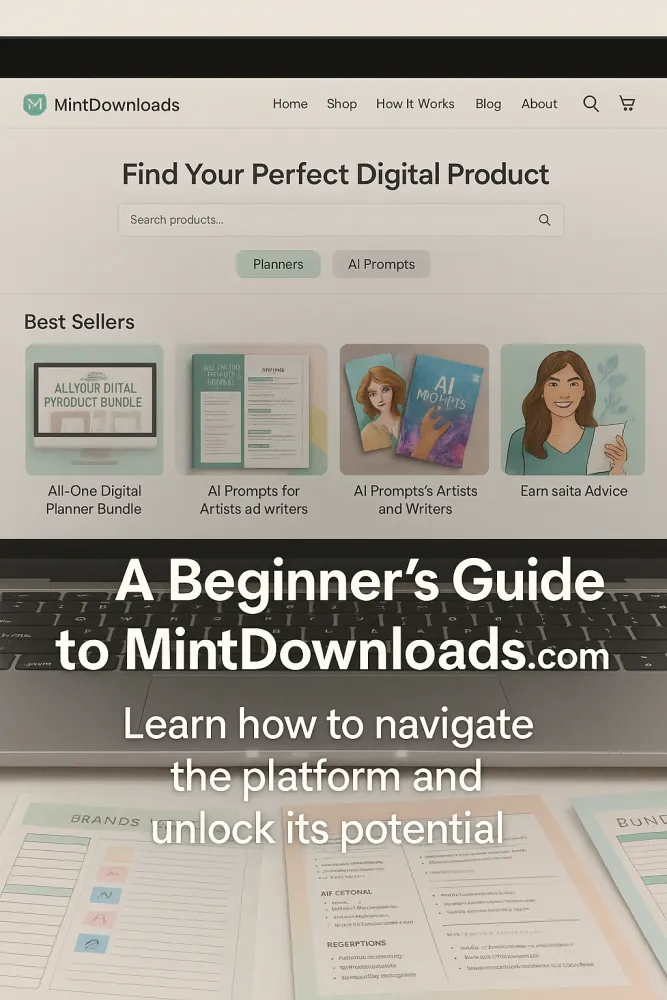
Learn how to navigate the platform and unlock its potential.
Table of Contents
- Why MintDownloads.com is More Than Just a Marketplace
- Common Struggles for Beginners
- Meet Your Ultimate Companion to Getting Started
- Step-by-Step: How to Navigate MintDownloads.com
- Tips for Finding the Perfect Resource
- How to Use What You Download Effectively
- Real Experiences from First-Time Users
- Key Takeaways
- Recap + Call to Action
- SEO Keywords for Search Visibility
1. Why MintDownloads.com is More Than Just a Marketplace (Intro Hook)
You just discovered a vault of digital gold—but how do you mine it?
MintDownloads.com isn’t just a platform—it’s a launchpad. And in the next few minutes, you’ll know exactly how to use it to ignite your success.
2. Common Struggles for Beginners
- Not knowing where to begin
- Downloading products but forgetting to use them
- Feeling overwhelmed by the variety of bundles
- Wasting time instead of gaining it
“The problem isn’t too much information. It’s too little transformation.” — Frank Kern
3. Meet Your Ultimate Companion to Getting Started
This blog post is your beginner-friendly walkthrough. From navigating the dashboard to choosing the right bundle, we’ll show you how to use MintDownloads like a seasoned pro.
Checkout our awesome digital Products
⚡ Instant Digital Download | ♾️ Lifetime Access + Free Qualifying Updates | ? Personal/Commercial/Resale License Included
👉 [ ✅ YES, TAKE ME TO THE DIGITAL PRODUCTS NOW → ]
4. Step-by-Step: How to Navigate MintDownloads.com
Step 1: Create a Free Account or Log In
Start with a free account to access your dashboard, save your favorites, and manage downloads.
Step 2: Explore Categories
Categories like Productivity, AI Prompts, Business Templates, and Education Bundles make it easy to find what suits your goals.
Step 3: Use Filters and Tags
Filter by ‘Newest’, ‘Top Rated’, or ‘Most Downloaded’. Tags like “Planners”, “Pitch Decks”, or “Checklists” make navigation intuitive.
Step 4: Read Descriptions & Previews
Each product includes preview images, feature highlights, and use cases. Read before you download.
Step 5: Add to Cart and Checkout
Even free items follow a checkout process—this helps track and store your downloads.
Step 6: Access ‘My Library’
Your downloads are permanently available in your Library tab. No need to download everything immediately.
5. Tips for Finding the Perfect Resource
- Match your need to the category: Content creator? Head to “AI Prompts”. Entrepreneur? Try “Business Templates”.
- Use Search Smartly: Use phrases like “goal tracker”, “branding kit”, or “blog planner”.
- Check User Reviews: Reviews offer honest feedback on utility and customization ease.
6. How to Use What You Download Effectively
- Open Immediately & Rename: Rename files clearly so they don’t get lost in your downloads folder.
- Sort by Purpose: Create folders like “Projects”, “Marketing”, “Productivity”.
- Customize in Your Style: Most files are editable—infuse your brand colors, voice, and structure.
- Print or Digitally Integrate: Use on tablets or planners like Notion, Goodnotes, or Google Drive.
“Digital products don’t create results—your habits using them do.” — Marie Forleo
7. Real Experiences from First-Time Users
“I was lost at first—but this guide gave me clarity. Now I use MintDownloads every day!” — Sasha N., Etsy Seller
“The layout was intuitive, but it wasn’t until I followed these steps that it clicked.” — Brent M., Course Creator
8. Key Takeaways
- MintDownloads is powerful—but only when you use it with intention
- Begin with structure: folders, filters, and focus
- Don’t just download—customize and apply immediately
- Every beginner becomes a pro with the right guide
9. Recap + Call to Action
There’s no such thing as a bad download—only an underused one.
🚀💡 Start navigating MintDownloads like a pro today. Use the tools, own your workflow, and turn potential into results.
UNLOCK MINTDOWNLOADS DIGITAL PRODUCTS
⚡ Instant Digital Download | ♾️ Lifetime Access + Free Qualifying Updates | ? Personal/Commercial/Resale License Included
Comments (0)